
Peterborough : 01733 306 133
File Genie
  • Home
  • Getting Personal
  • What We Do
    • Computer Repairs & Upgrades
    • iPad & Tablet Repairs
    • Smartphone Repairs
    • Data Recovery
    • Virus & Spyware Removal
    • Antivirus Setup
    • Software Install & Setup
    • Tuition
    • More... >
      • Computer Health Check
      • Computer Cleaning Service
      • Full Windows Reinstall
      • Install Components & Upgrades
      • Sourcing Components
      • Hard Drive Replacement
      • DVD & CD Drives
      • Memory (RAM)
      • Broadband Internet Issues
      • Password Reset or Recovery
  • Support Centre
    • Online Support
    • Telephone Support
    • Driver Downloads
    • Laptop & Smartphone Loan
    • FAQ's
    • Local Links
  • Price Guide
  • Reviews
  • Blog
  • Get In Touch

5 Common Smartphone Problems and How to Fix Them!

23/6/2025

0 Comments

 
Smartphone – short battery life
It’s hard to imagine a time before smartphones (it did exist, honest!) so entwined are they with our daily lives. We rely on our smartphones for so much – from texting and emailing to shopping and banking – so when things go wrong it feels like the end of the world! Sometimes the phone might need replacing, especially if it's badly damaged or it’s really old, but often simple remedies can have your phone up and running like new again.
Here are 5 common issues you might come across and easy ways to fix them:

  • Battery Draining Fast
    There’s nothing more annoying than having your phone battery die when you least expect it – on a train with tickets securely located in your digital wallet, about to make a purchase using your phone or in the middle of an important meeting – you need your phone to stay charged for as long as possible. First steps would be to adjust your phone settings such as reducing screen brightness and deleting unused apps to help reduce the strain on the battery. Sometimes the battery itself needs replacing, this might be a simple procedure depending on the make and model but in some cases a professional tech specialist will be your best.
 
  • Cracked Screen
    Most of us will have experienced the pain of a cracked phone screen. Not only does it look rubbish it can also affect how well the phone runs, so it’s important to get the screen replaced as soon as possible. Replacement screens can be found online and with the right tools you can have your phone looking good as new in no time. We would recommend using a professional techy for this job unless you are confident in your skills and knowledge of replacing a phone screen!
 
  • Soggy Smartphone
    We won’t judge if you dropped your phone in the toilet (well maybe a little bit), bath or sink but your phone will definitely not like having a dip!  If you’re lucky your phone might just need a good dry out – turn it off, take it out of its case if it has one, remove the sim and memory cards (and battery if possible) and put it in a sealed container with silica gel packets if you have some. With a bit of patience your phone may just survive. Resist the urge to use heat to dry out the phone as this can damage the delicate components in your phone. Similarly using compressed air to blow the water out could make things worse by pushing water further inside the device! Again, it's never the wrong choice to get in touch with a professional to help you out.
 
  • Software Glitches
    If your phone is being annoying – freezing when in app or crashing then the first thing to do is try restarting it. Often this does the trick and everything is right in the world once more. If a restart doesn’t fix it then you might need to check it’s running the latest version of software, sometimes an update fixes bugs and glitches. Still no joy? A factory reset might do the trick. Back everything up first (factory reset erases everything on your phone) and hopefully your phone will be back to it’s spritely self again. If you’re still having problems then seek professional advice – they will be able to run diagnostic tests to get to the root of the problem.
 
  • App Crashes
    If an app is unresponsive you can try force closing it and then reopen it. If that doesn’t help check if there are any updates available and make sure you are running the latest version of the app.

The important thing is to act quickly and seek professional help if you feel out of your depth – solving any issues straight away will help minimise any damage and help your phone last longer.

Having problems with your smartphone and need an IT professional to take a look? Get in touch and File Genie will get your phone running smoothly as soon as possible.
​
0 Comments

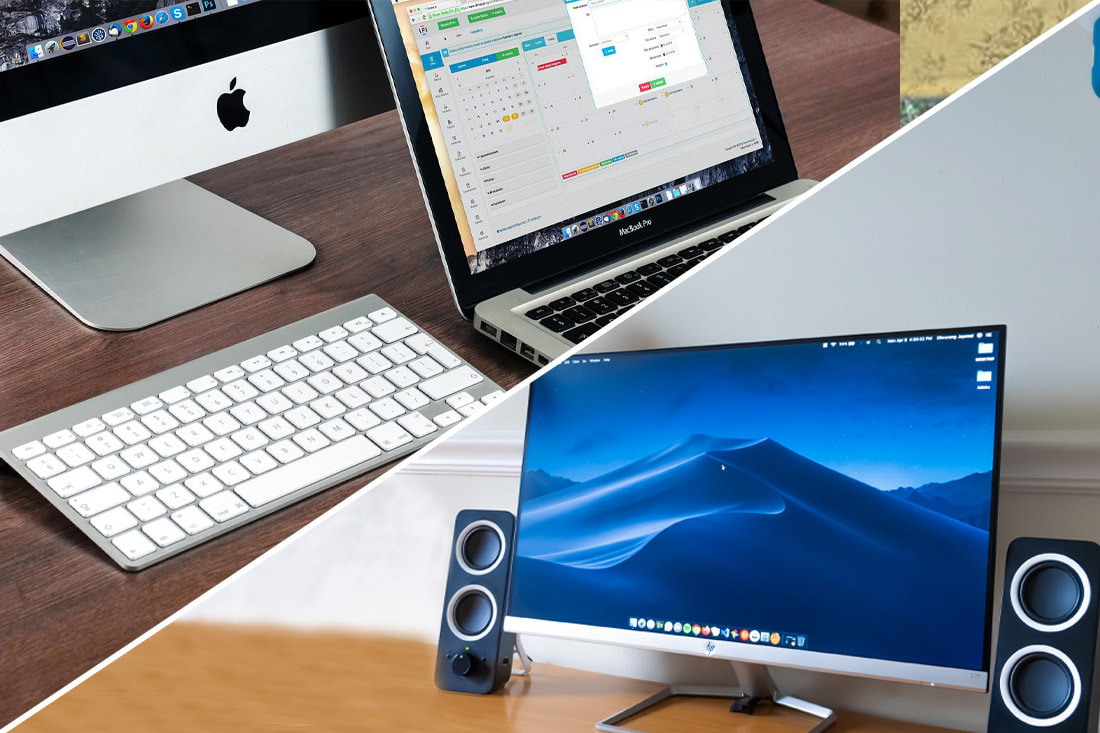
Mac vs Pc! Which One Is Best For Me?

16/6/2022

 
Mac Vs Pc! Which one is best for me?
The age-old argument (in our house at least!) Mac versus PC - It’s a question I don’t think we will ever agree on! But even if you don’t have this ‘discussion’ in your home you’ve no doubt asked yourself what makes one better than the other or whether you should be considering a Mac or PC when buying a new computer. This month we’re going to get to the bottom of this and crown one a true winner ok not really, but we are going to look at the pros and cons of each and help you decide which is best for you.
Mac is a PC!
You read that right a Mac is literally a PC, in the strictest definition a Mac is a personal computer and therefore a PC. Of course, that’s not how it’s been marketed and now we are led to believe there are two choices- Mac or PC. But for all intents and purposes they are both personal computers, one using a Windows based operating system and the other using the Mac operating system. Mac and PC are so similar that these days you can easily install Windows on a Mac alongside the Mac OS.
 
Mac or PC- It’s Personal Preference
The real question when you’re choosing between the two would be what would you prefer and what can you afford? The differences between Mac and PC’s come down to design, functionality and cost. All PC’s used to look the same - boring, grey boxes but Mac changed all that when they started producing innovative, funky computers - who remembers the first iMac?! There are lots of choices for PC’s these days and there’s bound to be something that ticks all the boxes from one of the many manufacturer.

  • Cost - It’s a common misconception that Macs are more expensive than PC’s, but this is not necessarily the case, and it all comes down to the spec of the machine you are buying (alongside any extras such as fancy monitors etc). Indeed, a high spec PC can cost just as much as a high spec Mac. The problem is it’s almost impossible to compare the two as you are unlikely to find a like for like PC/Mac.
 
  • Choice - Apple has much less variety to choose from when it comes to buying a new computer- this is just their marketing strategy, but it does mean you are limited to what you can buy. PCs on the other hand have plenty to offer- with lots of different manufacturers each offering all manner of configurations.
 
  • Brand Power - Probably the biggest factor when choosing a Mac or Pc is brand loyalty. Meet a lifelong Apple user and they’ll no doubt tell you Macs are easier to use, secure and look great. PC users will tell you PCs are better value for money, more choice and software availability.
 
  • Compatibility with Other Devices - Apple products are designed to work together and the same goes for Windows products. This doesn’t mean they can’t be mixed but if you’re not tech savvy you might find it a bit of a pain to get the different devices to communicate with each other. You can always call on your tech guru for help setting up devices.
 
  • Security - Because there are more Windows PC users than there are Mac users, there are more viruses and malware attacks on PC’s than there are Macs. This isn’t to say that Mac’s aren't targeted– if you have a Mac, you should install and activate Antivirus software, but there is definitely a reduced chance of a Mac being successfully attacked by malware.  
 
Conclusion
It really does come down to personal choice and budget. Mac’s are user friendly and look great and Apple has great customer service as seen in a report published back in 2020.
PCs are customisable, easily upgraded and there are absolutely loads of machines to choose from.
 
If you need more help choosing the right computer for your budget and needs, then get in touch and we can chat about the many options you can look at.

The Sanity & Insanity of Tech in Lockdown

26/5/2020

 
Picture
File Genie will tell you that Tech is my Achilles heel and lock down has done it’s best to compound the issues I have already, slow and intermittent fault on my internet supply, slowing my laptop performance – File Genie to the rescue; new Apps I don’t understand, File Genie to the rescue and venturing into Apple from Android and Windows, again Ben from File Genie to the rescue.

What have I learnt other than File Genie is a knight in shining armour:

  • Well, I need to do more of what I preach to stay calm, relaxed and in the positive, intellectual part of my brain. When I work from this part of my brain, I can achieve and do achieve lots more. I also learnt that every cloud has a silver lining even if a Genie needs to get involved.
  • Getting tense and stressed definitely has triggered old whiplash related restrictions and migraine like headaches but much can be done to rectify and to prevent it.
  • A mix of physical and mental health remedies self prescribed. Drink plenty, don’t try to do too much, eat properly, structure my day with different activities, ice, the power of just being, catching up with friends, exercise and gardening.
  • Mind and body are undisputedly linked, look after one and the other will follow and for your tech headaches, consult File Genie.
  • The other thing that I have become very good at is reframing (seeing the silver lining). Lockdown therefore equals Liberation.
 
Bridget Bath, Clinical Hypnotherapist, Forward Focus Hypnotherapy

    Search

    Categories

    All
    Android
    Antivirus
    Apple
    Apple IWork
    Apps
    Black Friday
    Broadband
    Christmas
    Computer
    Computer Repairs
    Computer Surgery
    Computer Virus
    Cyber Fraud
    Cyber Monday
    Digital Legacy
    Digital Subscriptions
    Email Attachments
    Emails
    Environment
    Files & Photos
    File Storage
    GDPR
    Geeks
    Google Docs
    Internet
    Internet Service Provider (ISP)
    Laptop
    Laptop Loan
    LibreOffice
    Microsoft
    MS Office
    MS Office 365
    Operating System
    Payleven
    PC
    PC Repairs
    Personal Care
    Phishing
    Safe Password
    Safety
    Scam
    Screen Protectors
    Security
    Smartphone
    Smartwatch
    Social Media
    Support
    Tablet
    Tech
    Upgrade
    WFH
    Windows
    Windows 10
    Windows 11
    Windows 7
    Windows 8
    Windows 8.1
    Windows Vista

    Archives

    October 2025
    July 2025
    June 2025
    May 2025
    April 2025
    December 2024
    October 2024
    August 2024
    May 2024
    January 2024
    December 2023
    June 2023
    March 2023
    February 2023
    January 2023
    December 2022
    October 2022
    September 2022
    August 2022
    July 2022
    June 2022
    April 2022
    March 2022
    February 2022
    January 2022
    November 2021
    October 2021
    September 2021
    August 2021
    June 2021
    May 2021
    May 2020
    April 2020
    April 2019
    December 2018
    November 2018
    March 2018
    February 2018
    January 2018
    December 2017
    November 2017
    August 2017
    March 2017
    January 2017
    November 2016
    October 2016
    July 2016
    April 2016
    March 2016
    April 2015
    March 2015
    November 2014
    October 2014
    September 2014
    August 2014
    May 2014
    April 2014
    March 2014
    February 2014
    November 2013
    October 2013

    RSS Feed

File Genie – Google Reviews
File Genie is an approved member of Safe Local Services
File Genie is a member of The Local View Peterborough
File Genie - Computer Repair Reviews on Freeindex
We accept payments with Payleven powered by sum-up

What We Do

  • Computer Repairs & Upgrades
  • Laptop & Netbook Repairs
  • PC Repairs & Upgrades
  • iPad & Tablet Repairs
  • Smartphone Repairs
  • Data Recovery
  • Virus & Spyware Removal
  • AntiVirus Setup
  • Software Install & Setup
  • Tuition

Support Centre

  • Online Support
  • Telephone Support
  • Broadband Internet Issues
  • Password Reset or Recovery
  • Driver Downloads
  • Laptop & Smartphone Loan
  • Internet Security
  • FAQ's
  • Local Links

Follow File Genie

Enquiry

  • Customer Reviews
  • File Genie Blog
  • Get in Touch

Contact Us

Tel: 01733 306133
Mob:
07872 052 751
Email:
genie@filegenie.co.uk

Address

10 Christopher Close, Dogsthorpe, Peterborough, Cambridgeshire, PE1 3YA

Sitemap   |   Cookies   |   Privacy Policy   |   Terms & Conditions
© 2024 Copyright File Genie Peterborough: Personal Care for your Computer, Tablet & Smartphone. Providing computer, tablet & smartphone repair services throughout Peterborough and Greater Peterborough in Cambridgeshire. www.freeindex.co.uk
  |  Website Design by Creative Remedy